Loading... Please wait...
 Singapore Phillipine United States United Kingdom
Sign in  OR New account

  Loading... Please wait...
How to Order

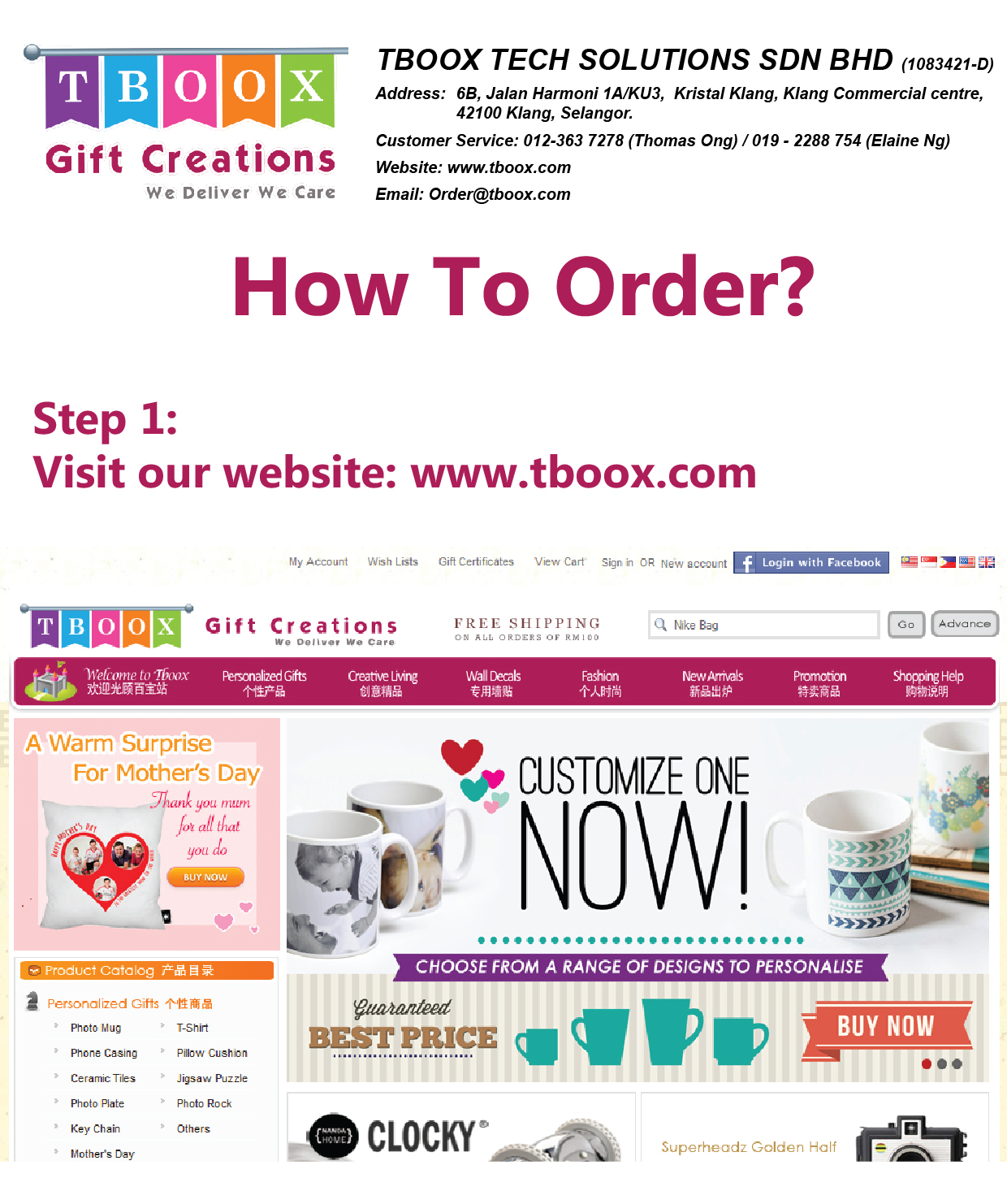
All items must be ordered through our website, we do not accept any kind of order like e-mail or SMS.
Please refer to the step by step guide below to complete the order through the website :

  1. Add the item into shopping cart
  2. Review shopping cart information
  3. Sign in or register an account
  4. Fill up valid billing and delivery information
  5. Select shipping method
  6. Proceed to payment (Double check your order items, delivery information and total amount)
  7. Make payment by using Bank Deposit
  8. Make payment by using Cash on Delivery
  9. Make payment by using NBepay Online Payment (Visa, Mastercard, Maybank2u, MEPS, FPX and etc)
  10. Make payment by using Paypal
  11. Done! You will be given an order number as a proof of your order confirmation


1. Add the item into shopping cart

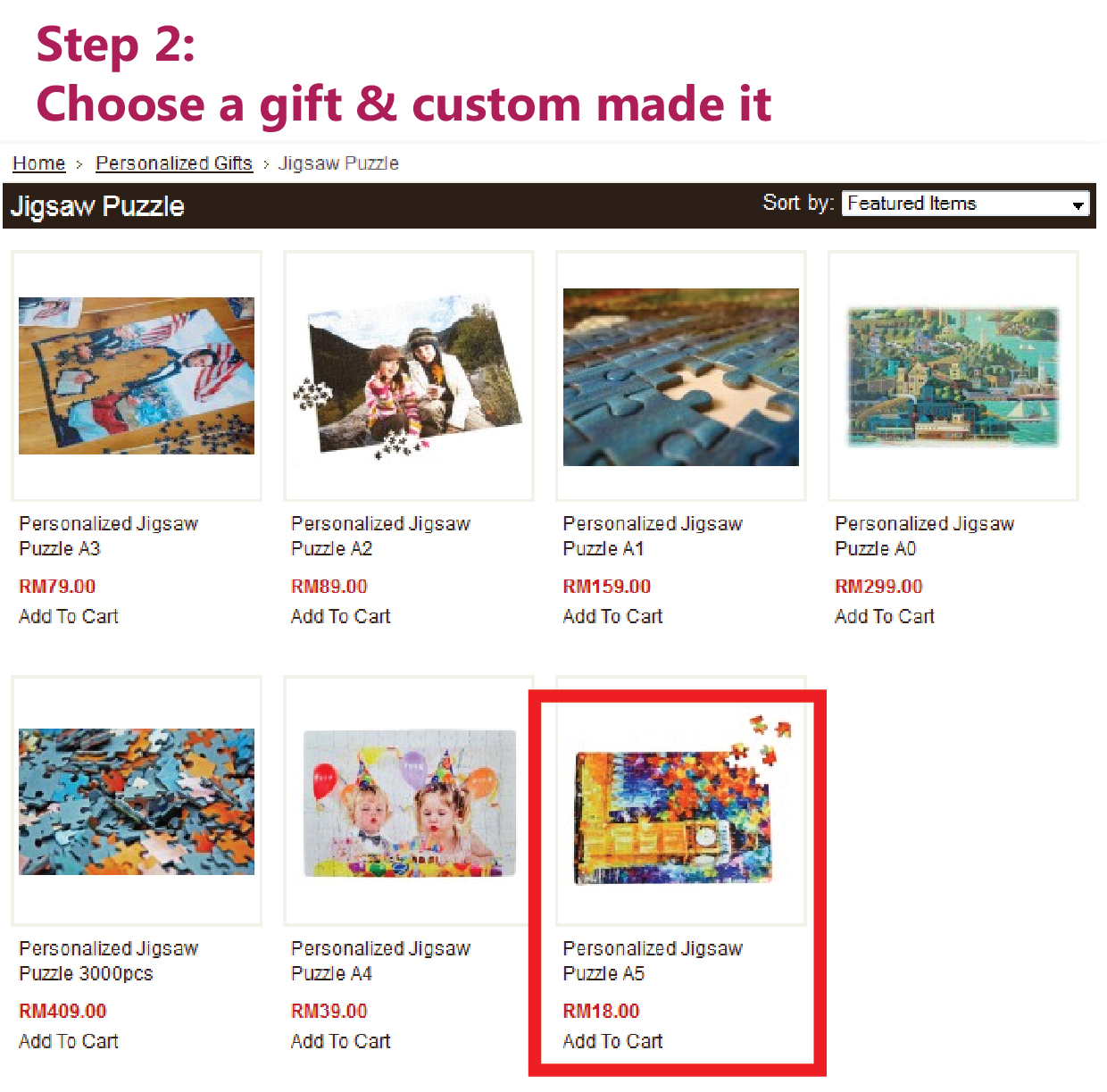
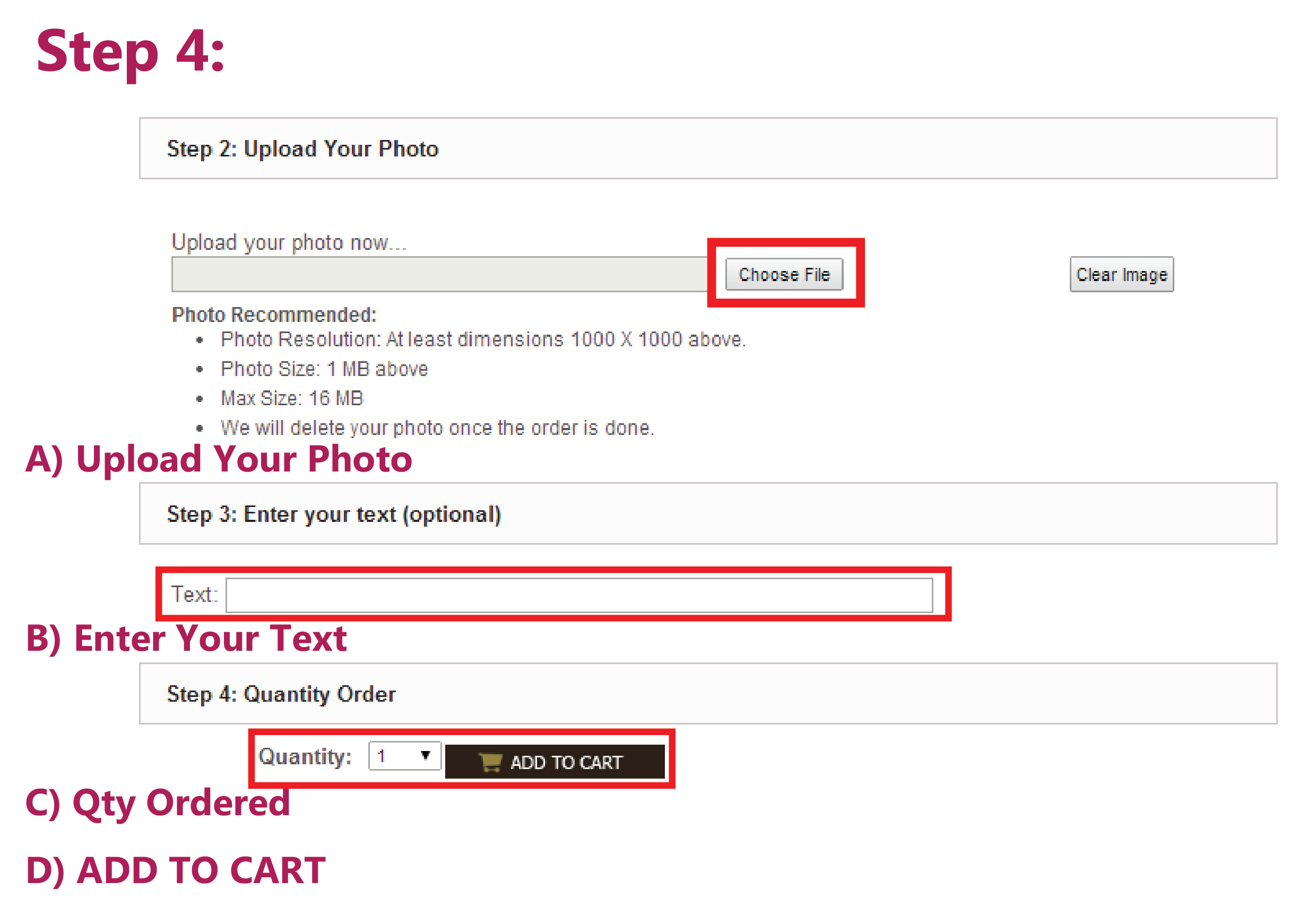
Browse and look for the products that catches your eyes, click the button "ADD TO CART" if you wish to place the order
order01-addtocart


2. Review shopping cart information

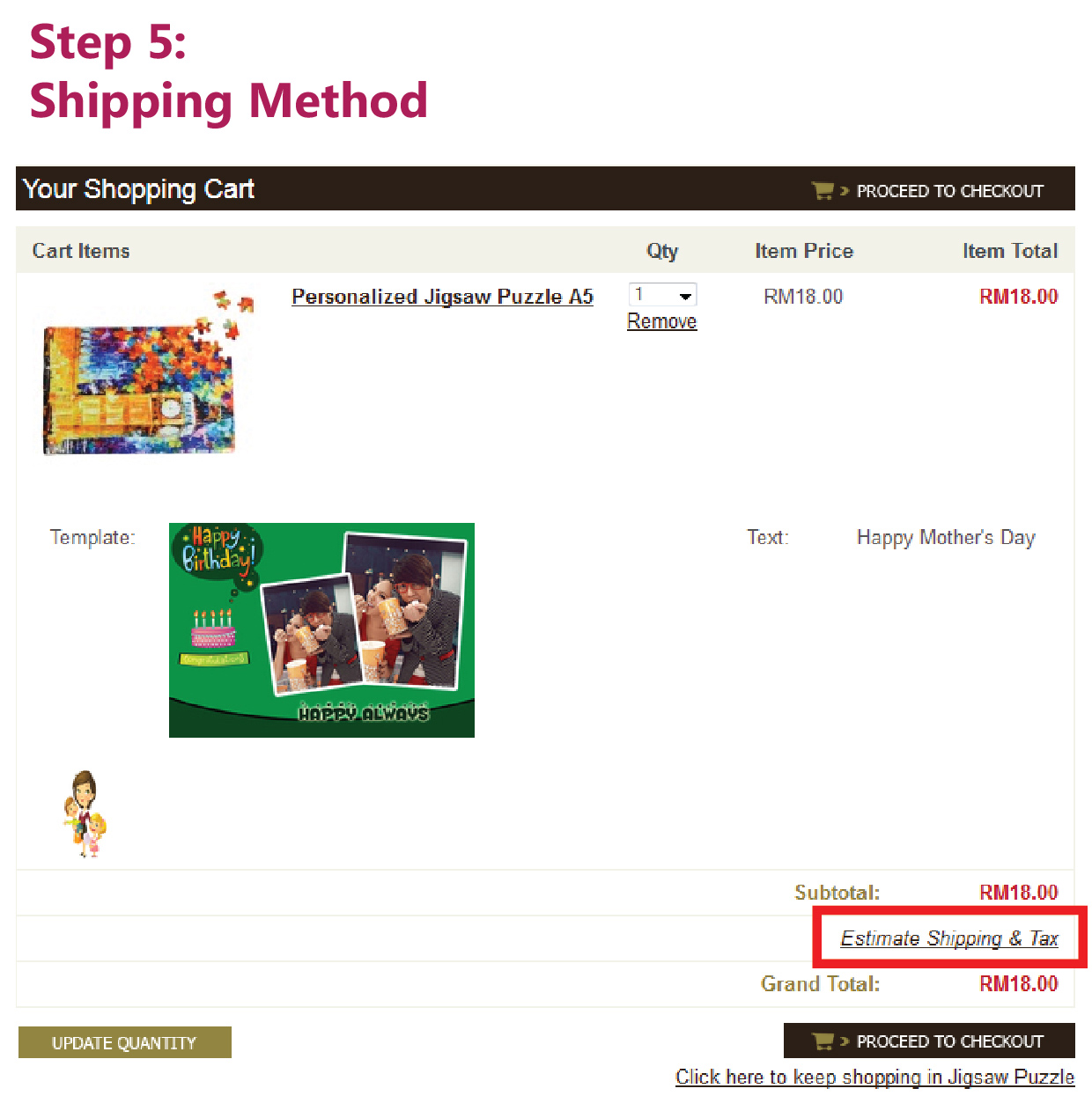
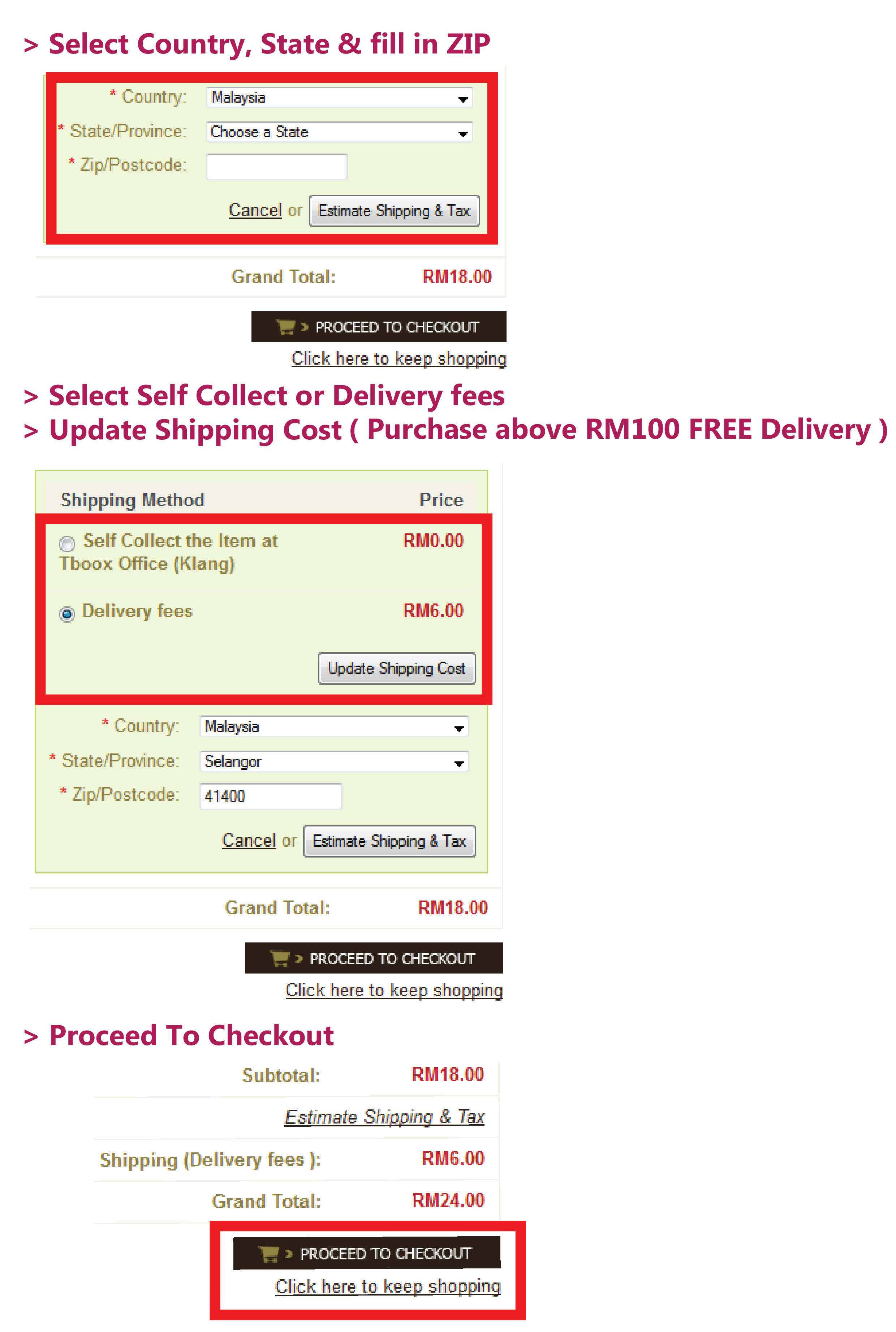
In your shopping cart, you may update the order quantity and click the button "UPDATE QUANTITY"
If you wish to continue shopping, click the "Click here to keep shopping" link
If you want to know the shipping fees, please click on "Estimate Shipping & Tax"
If you do not have any other product to order, please click on "PROCEED TO CHECKOUT"
order02-reviewproduct


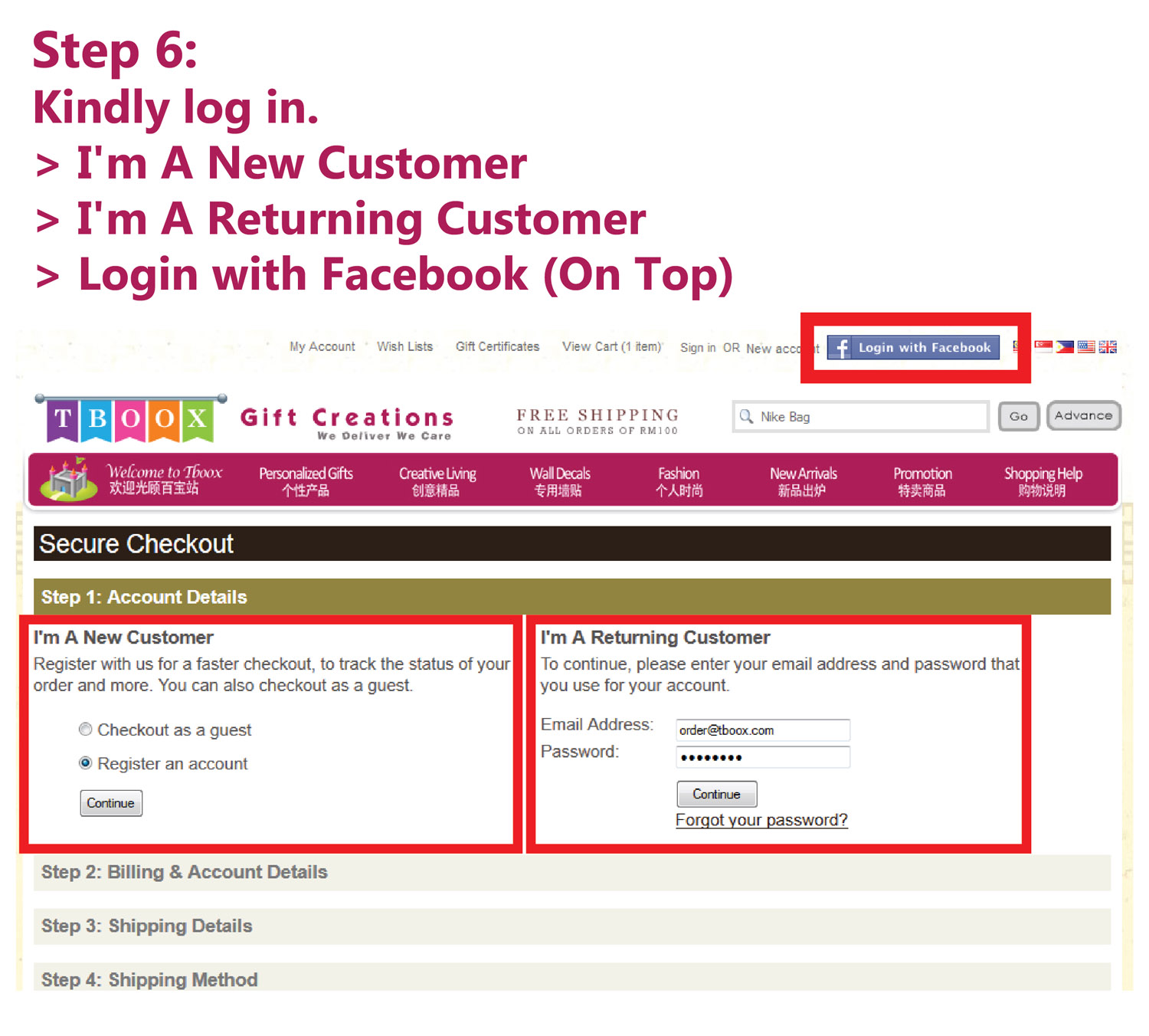
3. Sign in or register an account

If you are new customer of Tboox, you can choose to checkout using "Checkout as a guest" or "Register and account".

Checkout as a guest - No need to register account to proceed checkout
Register an account - Must register an account to proceed checkout

If you are registered customer, please proceed to login your account by entered your email address and password and click "Continue"
order03-accountdetails


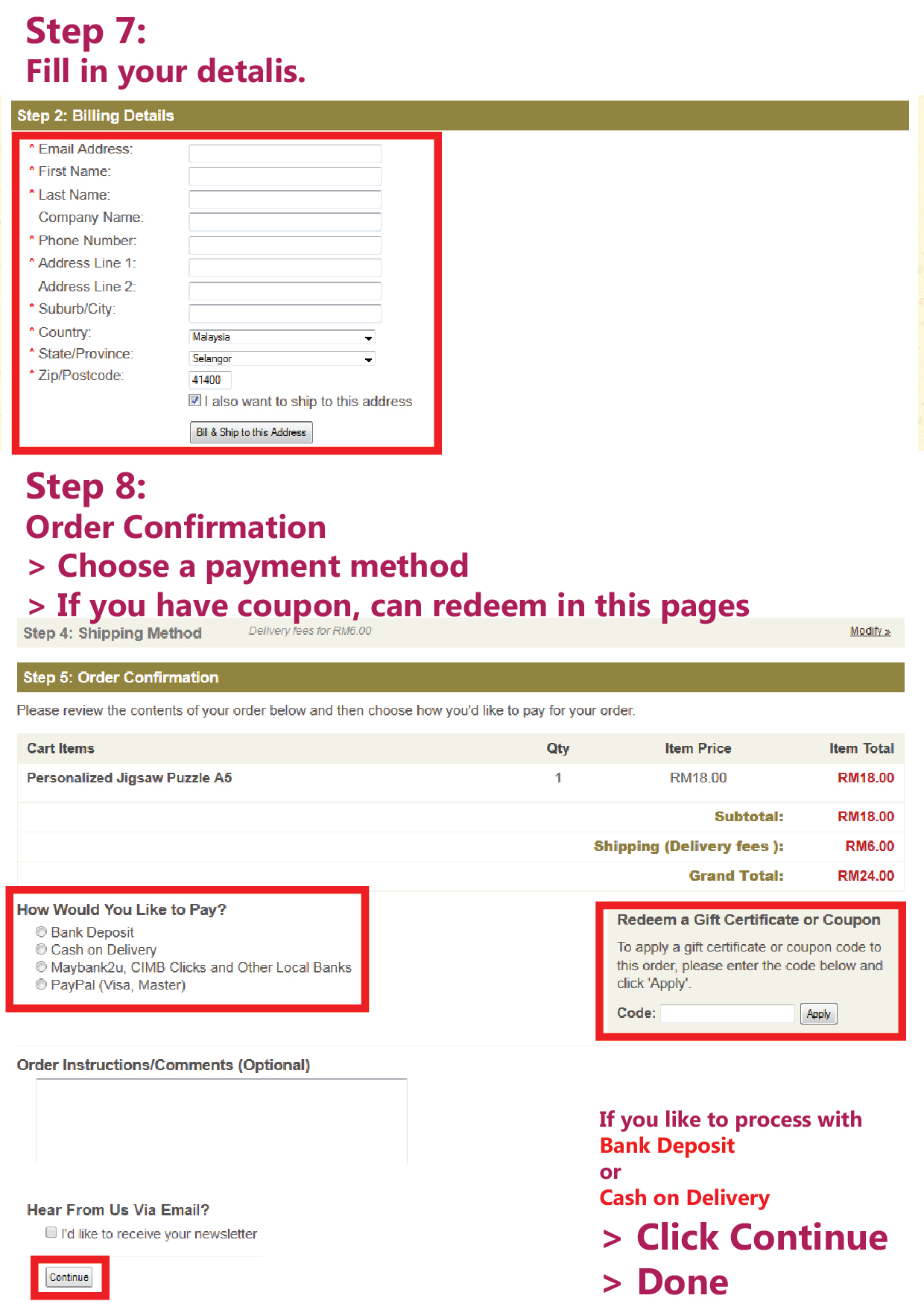
4. Fill up valid billing and delivery information

You will be asked to fill up the delivery information.
Check the "I also want to ship to this address", if your billing address and delivery address is same.
order04-billingdetails.


5. Select shipping method

Select Shipping Method and continue
order05-shippingmethod


6. Proceed to payment. (Double check your order items, delivery information and total amount)

Confirm your order and proceed to payment by using one of the followings:

a) Bank Deposit (Online Banking or ATM Bank In)

  • Transfer money to Tboox's Public Bank account or Maybank account via online banking or ATM machine as followings:
    1.1 Bank Name: Public Bank
    Account Name: ECentury Enterprise
    Account Number: 315-5494-430

    1.2 Bank Name: Maybank
    Account Name: ECentury Enterprise
    Account Number: 5124-5517-5762


  • Once bank in the money into Tboox's bank account, please let us know the following information immediately:-
    a) The Amount you deposit
    b) The Time you deposit
    c) The Date you deposit

    Please let us know the above information by email: admin[at]tboox[dot]com
    Balance will be kept into customer's account for next order.


b) Cash on Delivery (apply to Klang Valley selected area only)

  • COD is a financial transaction where the payment of products and/or services received is done at the time of actual delivery rather than paid-for in advance. Region of COD: Klang Valley Only


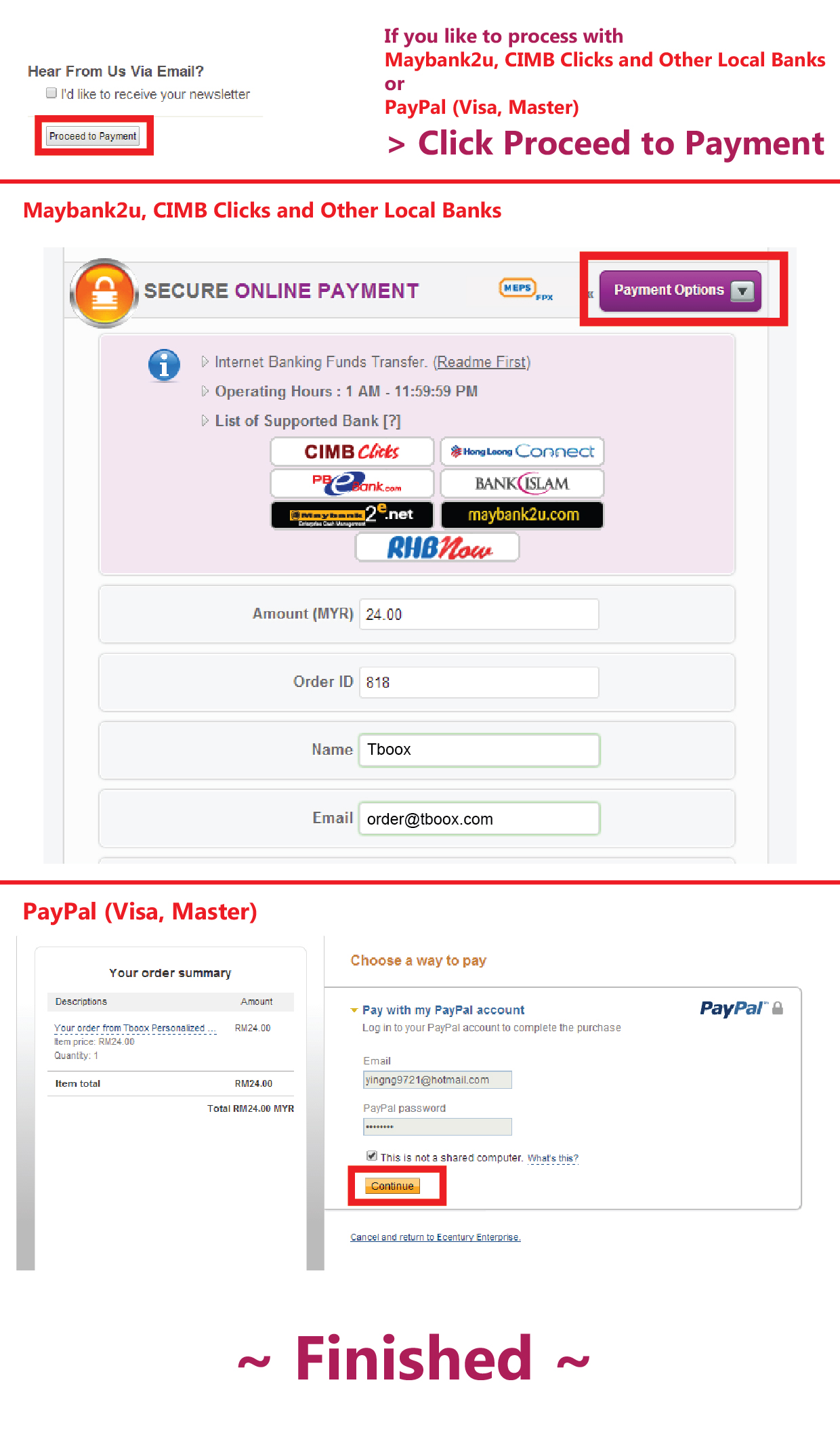
c) NBepay Online Payment (Visa, Mastercard, Maybank2u, MEPS, FPX and etc)

  • Accept online Visa or Master Credit Card Payment. Also support Maybank2u, Public Bank, OCBC Bank, Bumiputra-Commerce Bank, Public Bank, Citibank and Ambank online banking, links through GHL Systems, PayDirect or Financial Link payment gateway to MEPS (Malaysia Electronic Payment System).
  • Supported secured online payment:
    nbepay1.gif
  • Accept payment from banks as below:
    nbepay2.gif


d) Paypal

  • Tboox recommended Paypal for international buyers, because it's safe to use to protect buyer and merchant. Tboox accept Visa/Master/American Express credit card transaction for Paypal.
  • The registration for Paypal is free if you do not own Paypal account.


order07-orderconfirm


7. Make payment by using Bank Deposit

Transfer the order amount to Tboox's Public Bank or Maybank account.

order07-bankin


8. Make payment by using Cash on Delivery

Apply to Klang Valley selected area only.

cash on delivery

order09-cod.gif


9. Make payment by using NBepay Online Payment (Visa, Mastercard, Maybank2u, MEPS, FPX and etc)

nbepay.gif


10. Make payment by using Paypal

Registration for Paypal account is free. If you already have Paypal account, you can login by using email address and password.

order08-paypal


11. Done! You will be given an order number as a proof of your order confirmation